
Web App Development for Startups: How to Build a Scalable Product in 2026
Building a startup product requires more than a great idea. Web app development for startups helps founders turn ideas into scalable digital products, launch MVPs faster, validate their market, and create a strong foundation for growth. Learn how to plan, build, and scale a startup web application while avoiding common development mistakes.
Introduction
A great startup idea can become a successful business—but only when it is transformed into a product that customers actually want to use.
For many startups, a web application is one of the most practical ways to turn an idea into a working digital product. From SaaS platforms and marketplaces to booking systems, customer portals, business management platforms, and online services, web applications can support almost any modern business model.
However, building a startup web application is different from simply creating a website.
A website primarily provides information. A web application allows users to interact with the business, manage data, complete transactions, use tools, and perform specific tasks.
This is why choosing the right approach to web app development for startups is critical.
In this guide, we'll explain how startups can plan, develop, launch, and scale a web application in 2026.
What Is Web App Development for Startups?
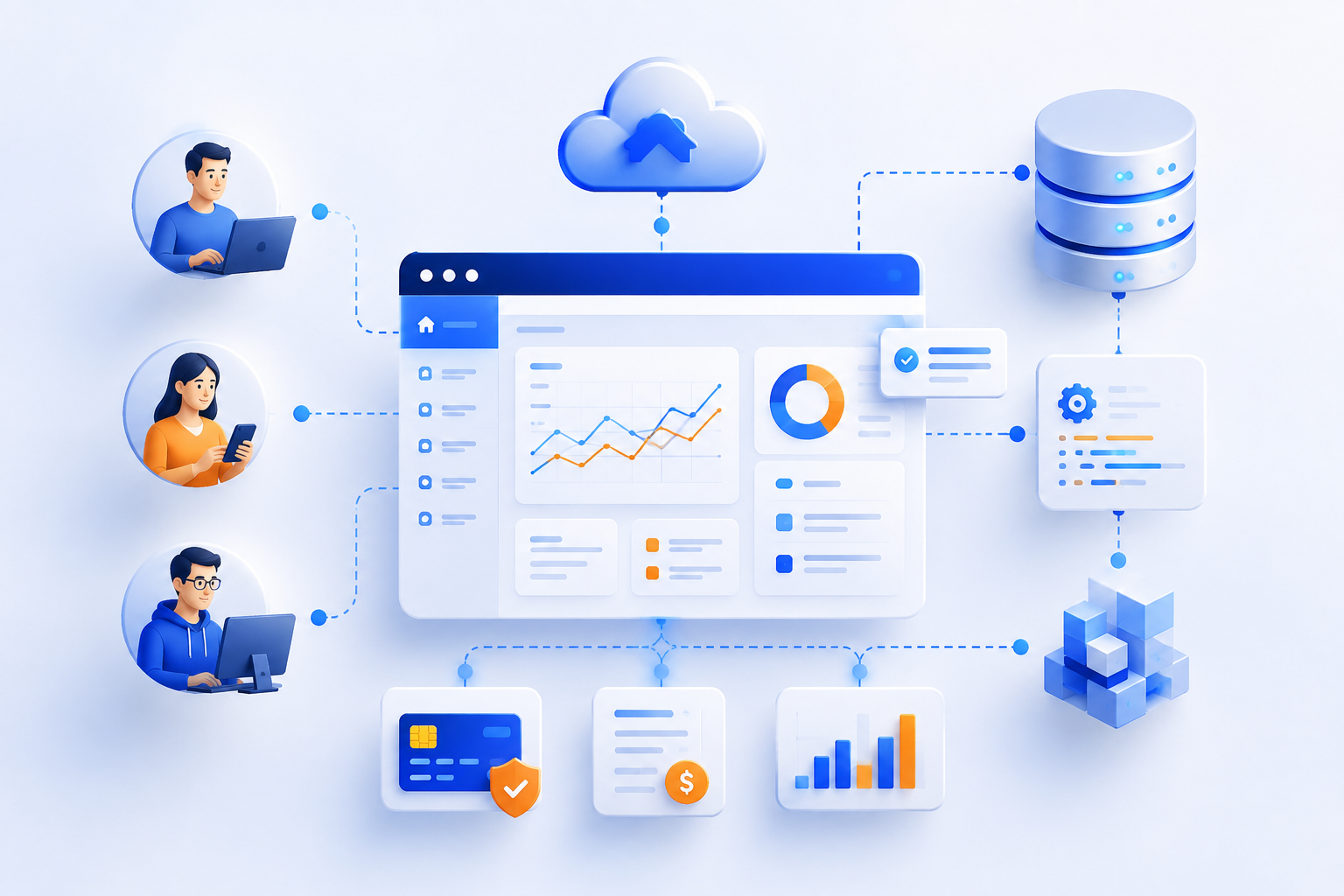
Web app development for startups is the process of designing and developing a browser-based application specifically around a startup's business idea, target customers, and growth strategy.
A startup web application might include:
User registration and login
Customer dashboards
Admin panels
Online payments
Booking systems
Subscription management
CRM functionality
Analytics
Notifications
File management
API integrations
Business automation
Reporting
Unlike traditional websites, web applications are built around user interaction and business functionality.
Why Startups Choose Web Applications
Startups usually have limited budgets, limited resources, and a need to move quickly.
A web application can provide several advantages.
Faster Launch
A responsive web application can be accessed directly through a browser without requiring users to download an application.
This makes it easier to launch an MVP and start collecting feedback.
Lower Initial Development Cost
Instead of developing separate applications for multiple platforms immediately, startups can begin with one web application that works across desktop, tablet, and mobile devices.
Easy Updates
Web applications can be updated centrally.
When a new feature or security improvement is released, users can access the updated version without manually installing an update.
Easier Customer Acquisition
A web application can be connected directly to your website, SEO strategy, content marketing, advertising campaigns, and other acquisition channels.
Scalable Foundation
With the right architecture, a startup web application can evolve from an MVP into a much larger platform.
Web Application vs Website: What's the Difference?
One of the most common questions startup founders ask is whether they need a website or a web application.
Website Web Application Mainly provides information Provides interactive functionality Mostly public content Often requires user accounts Easier to build More complex development Marketing-focused Product/business-focused Examples: company website, blog SaaS, CRM, booking platform Limited user interaction Extensive user interaction
A startup may actually need both.
For example, a SaaS company can have:
Marketing Website → Web Application → Customer Dashboard
The website attracts visitors, while the application delivers the actual product experience.
Examples of Startup Web Applications
Almost any digital business can use a web application.
SaaS Platforms
Examples include:
Project management software
CRM platforms
Accounting systems
Marketing tools
HR platforms
Marketplaces
Web applications can connect buyers and sellers while managing:
Products
Orders
Payments
Reviews
Users
Booking Platforms
Useful for:
Hotels
Clinics
Consultants
Coaches
Salons
Service providers
Education Platforms
Startups can build platforms for:
Online courses
Student management
Coaching centers
Learning management
Online examinations
Business Management Platforms
Custom web applications can manage:
Sales
Inventory
Employees
Customers
Billing
Reports
How to Build a Web Application for a Startup
Building a successful startup application requires a structured process.
1. Define the Business Problem
Before choosing technologies, clearly define the problem your product solves.
Ask:
Who is the target customer?
What problem are they experiencing?
How are they solving it today?
Why would they switch to your product?
How will your product make money?
Technology should support the business strategy—not the other way around.
2. Identify Your Target Users
Understanding users is essential for creating the right product.
Create user profiles based on:
Industry
Age
Job role
Technical knowledge
Business size
Pain points
Buying behavior
The better you understand your users, the easier it becomes to prioritize features.
3. Start With an MVP

A Minimum Viable Product (MVP) is the first usable version of your product containing the core functionality required to solve the main customer problem.
For example, imagine you're building a booking platform.
Your MVP might include:
User registration
Service listing
Booking
Payment
Notifications
Admin dashboard
You may not need:
Advanced AI recommendations
Complex analytics
Multiple themes
Dozens of integrations
Those features can come later.
The goal is to launch, learn, and improve.
4. Design the User Experience
Good technology cannot compensate for a poor user experience.
Your application should be:
Easy to navigate
Fast
Responsive
Accessible
Consistent
Intuitive
Startups should pay particular attention to onboarding.
If a new user cannot understand your product within a few minutes, they may leave before discovering its value.
5. Choose the Right Technology Stack
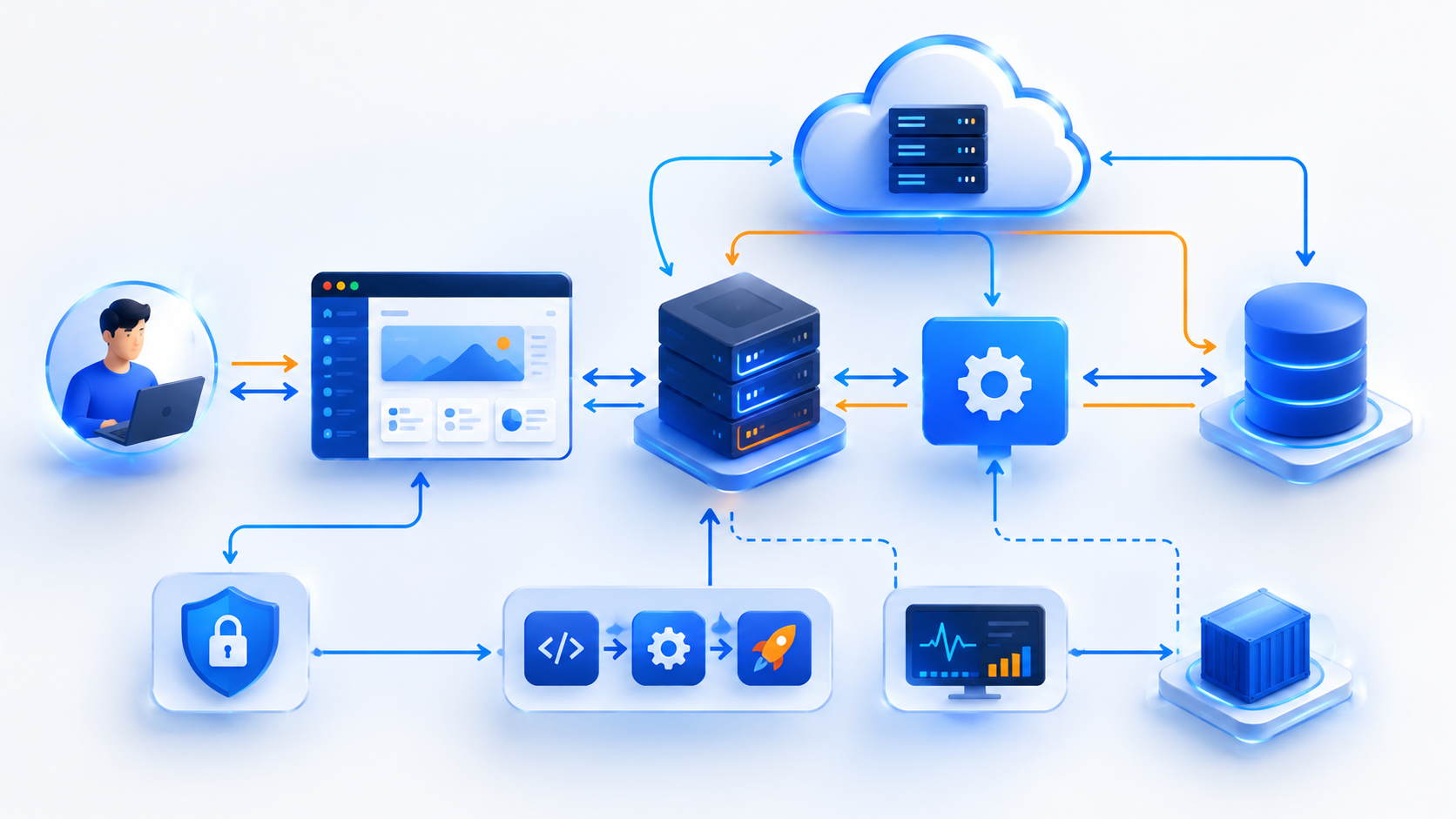
The technology stack should be selected based on the product—not simply because a technology is popular.
A modern web application might use:
Frontend
React
Next.js
Vue.js
Backend
Node.js
Nest JS
Laravel
Django
Database
PostgreSQL
MySQL
MongoDB
Infrastructure
AWS
Google Cloud
Microsoft Azure
Development & Deployment
Git
Docker
CI/CD
Automated testing
The right combination depends on your product requirements, team expertise, expected traffic, security requirements, and budget.
6. Build Secure Authentication
Most startup applications handle sensitive user information.
Authentication should therefore be designed carefully.
Common features include:
Email/password authentication
Social login
Two-factor authentication
Password recovery
Session management
Role-based access control
For applications containing financial, medical, educational, or business data, security should be considered from the beginning rather than added later.
7. Integrate APIs and Third-Party Services
Modern applications rarely operate independently.
Your web application may need to connect with:
Payment gateways
Email providers
SMS services
Maps
Accounting software
CRM systems
Analytics platforms
Cloud storage
Marketing tools
Well-designed API architecture makes these integrations easier to maintain and expand.
8. Test Before Launch
Testing helps identify problems before customers encounter them.
Your development process should include testing for:
Functionality
Performance
Security
Mobile responsiveness
Browser compatibility
API reliability
User permissions
Payment processing
Automated testing can also reduce the risk of breaking existing functionality when new features are introduced.
9. Launch and Collect Feedback
Launching your MVP isn't the end of development.
It's the beginning of the learning process.
After launch, monitor:
User behavior
Conversion rates
Retention
Feature usage
Customer feedback
Support requests
Performance
Errors
Your first customers can provide valuable information about what should be improved.
10. Scale Based on Real Demand
One of the biggest startup mistakes is over-engineering too early.
You don't necessarily need enterprise infrastructure on day one.
Instead, build an architecture that can scale when demand requires it.
As your startup grows, you may need:
Better database performance
Caching
Load balancing
Background processing
Cloud scaling
Database optimization
Advanced monitoring
Microservices
The right approach is to build for reasonable future growth without unnecessarily increasing today's complexity.
Essential Features for a Startup Web Application

The exact features depend on your product, but many startup applications benefit from:
User Management
Registration
Login
Profiles
Password management
Roles and permissions
Dashboard
A dashboard provides users with an overview of important information and actions.
Search & Filtering
Useful for products, customers, bookings, documents, and other large datasets.
Notifications
Notifications can be delivered through:
Email
SMS
Push notifications
In-app alerts
Payments
For products with subscriptions or transactions, payment gateway integration can simplify billing.
Analytics
Analytics help founders understand:
Where users come from
What features they use
Where they leave
Which products generate revenue
How Much Does Web App Development Cost for a Startup?
There is no single price for startup web application development.
The cost depends on:
Number of features
UI/UX complexity
User roles
Integrations
Payment functionality
Security requirements
Technology stack
Development team
Testing requirements
Cloud infrastructure
A simple MVP can cost significantly less than a complex SaaS platform.
Instead of asking only:
"How much does a web application cost?"
startup founders should ask:
"What is the minimum product we need to validate our business idea?"
This approach helps control the initial investment while keeping the product focused.
Custom Web App Development vs Ready-Made Software
Ready-made software can be useful when your requirements match the available features.
But startups with unique business models may need custom development.
Ready-Made Software
Advantages:
Faster deployment
Lower initial investment
Existing features
Limitations:
Limited customization
Vendor dependency
Feature restrictions
Integration limitations
Custom Web Application
Advantages:
Built around your business
Full control
Flexible integrations
Scalable architecture
Unique functionality
For startups building a differentiated product, custom development can provide a stronger foundation.
Common Startup Web Development Mistakes
Building Too Many Features
More features don't automatically create more value.
Build what your customers actually need.
Ignoring Performance
Slow applications can negatively affect user experience and conversions.
Choosing Technology Based on Hype
A technology should solve your business requirements rather than simply follow trends.
Neglecting Security
Security should be part of the architecture from the beginning.
No Analytics
Without data, it becomes difficult to understand whether your product is succeeding.
Poor Mobile Experience
A large portion of your users may access your application through mobile devices.
Responsive design should therefore be considered from the start.
How Codex Devware Helps Startups Build Web Applications

At Codex Devware, we help startups turn software ideas into practical, scalable digital products.
Our web application development process can cover:
Product discovery
Technical planning
UI/UX design
MVP development
Frontend development
Backend development
Database architecture
API development
Third-party integrations
Cloud deployment
Testing
Maintenance
Scaling
Whether you're validating a new startup idea or improving an existing product, our goal is to build technology that supports your business—not technology for the sake of technology.
Frequently Asked Questions
What is the best technology for startup web app development?
There is no single best technology. The right stack depends on your product requirements, scalability needs, budget, integrations, and development team.
How long does it take to develop a startup web application?
A focused MVP may take several weeks to a few months. Complex applications can require significantly more development time.
Should a startup build an MVP first?
In most cases, starting with a focused MVP is a practical approach because it allows you to validate the product before investing heavily in advanced functionality.
Can a web application scale with my startup?
Yes. A properly planned architecture and scalable infrastructure can support increasing users, transactions, and data as your business grows.
Should I hire a web development company or freelancers?
The right choice depends on your project. A professional development company can be particularly useful when the product requires UI/UX, frontend, backend, DevOps, security, integrations, and long-term maintenance.
Conclusion
For startups, technology should be an enabler of growth.
A well-built web application can help you launch your idea, validate your market, serve customers, automate operations, and create a foundation for long-term growth.
The key isn't to build everything at once.
Start with a clear problem, identify your most important users, build a focused MVP, collect feedback, and continuously improve the product.
If you have a startup idea and need a reliable technology partner to turn it into a scalable web application, Codex Devware can help you move from idea to product.