
School Management Software: How Digital Systems Help Schools Run Better
Managing students, teachers, attendance, fees, exams, and communication can become difficult when schools rely on manual processes. School Management Software helps educational institutions centralize administration, automate repetitive tasks, improve communication, and make better decisions. Discover the essential features, benefits, and key considerations for choosing the right school management system.
Introduction
Running a school involves much more than teaching students.
Administrators and staff must manage admissions, student records, attendance, examinations, fees, teacher information, parent communication, and daily operations. When these activities are handled through paper files, spreadsheets, and disconnected tools, schools often face delays, duplicate data, and unnecessary administrative work.
This is where School Management Software can make a meaningful difference.
A modern school management system brings important administrative and academic processes into one centralized platform. It helps schools organize information, automate routine tasks, improve communication, and provide staff with better visibility into daily operations.
Whether you manage a small school, a large educational institution, or multiple campuses, the right software can help your team work more efficiently while creating a better experience for students, parents, and teachers.
In this guide, we'll explore what school management software is, its key features, benefits, implementation considerations, and how to choose the right solution for your institution.
What Is School Management Software?
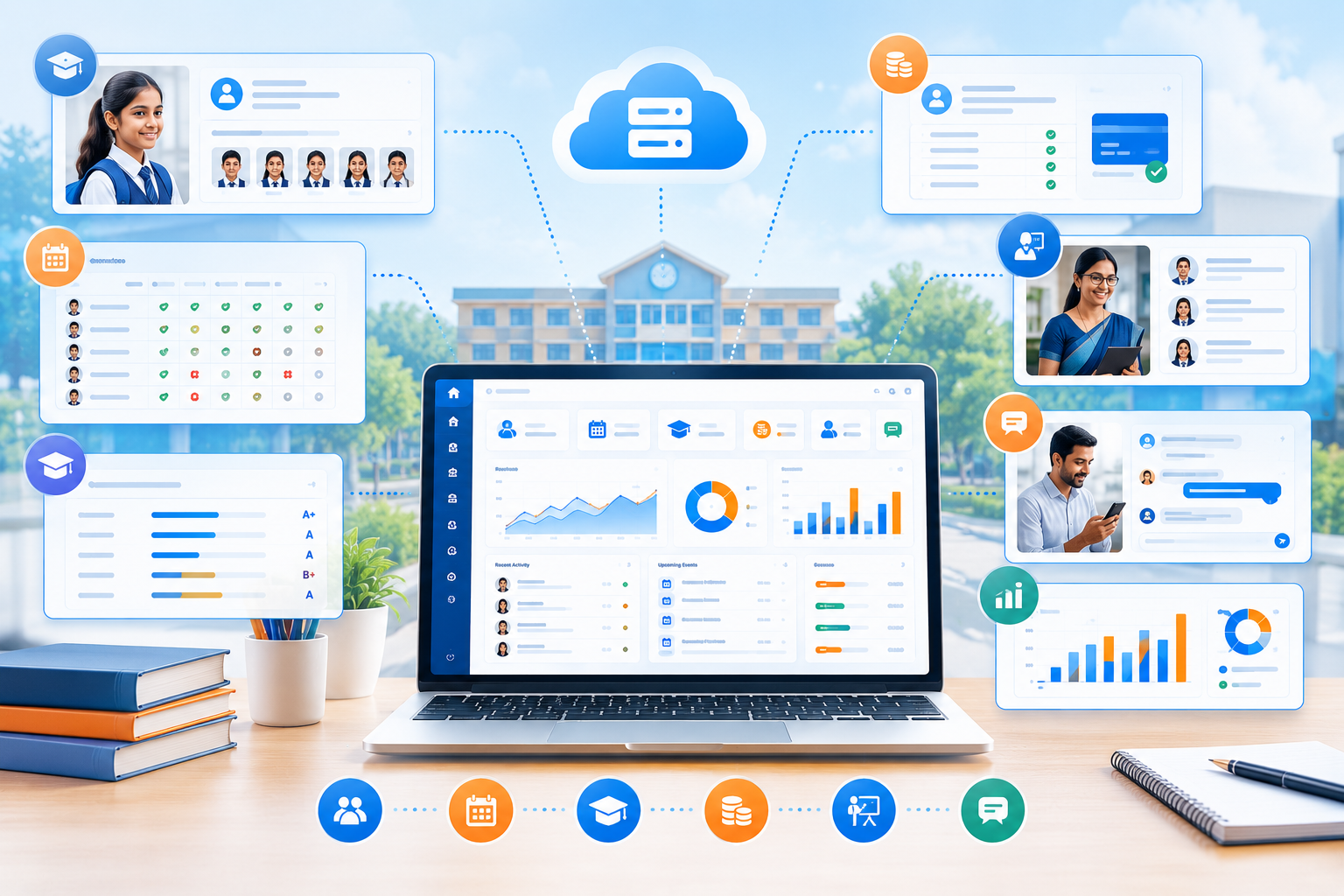
School Management Software is a digital platform designed to help educational institutions manage administrative, academic, and operational activities from one system.
Instead of maintaining separate records for students, fees, attendance, and examinations, schools can use a centralized database and connected workflows.
A school management system may include:
Student information management
Admission management
Attendance tracking
Teacher management
Class and subject management
Examination and grading
Fee collection
Parent communication
Timetable management
Reports and analytics
Notifications
Document management
The exact features depend on the software and the needs of the school.
The main goal is to reduce manual work, improve accuracy, and make school operations easier to manage.
Why Schools Need Digital Management Systems
Traditional school administration often depends on repetitive tasks.
For example, a staff member may need to:
Record student attendance.
Update a spreadsheet.
Prepare a monthly report.
Share information with parents.
Update student records manually.
When these tasks are repeated across multiple classes, the workload increases quickly.
A digital school management system can connect these activities into a more efficient workflow.
Teacher records attendance
↓
Attendance is stored automatically
↓
Administrators can view reports
↓
Parents receive notifications when supported
↓
School records remain updated
This reduces duplicate data entry and helps staff spend more time on meaningful work.
Key Features of School Management Software
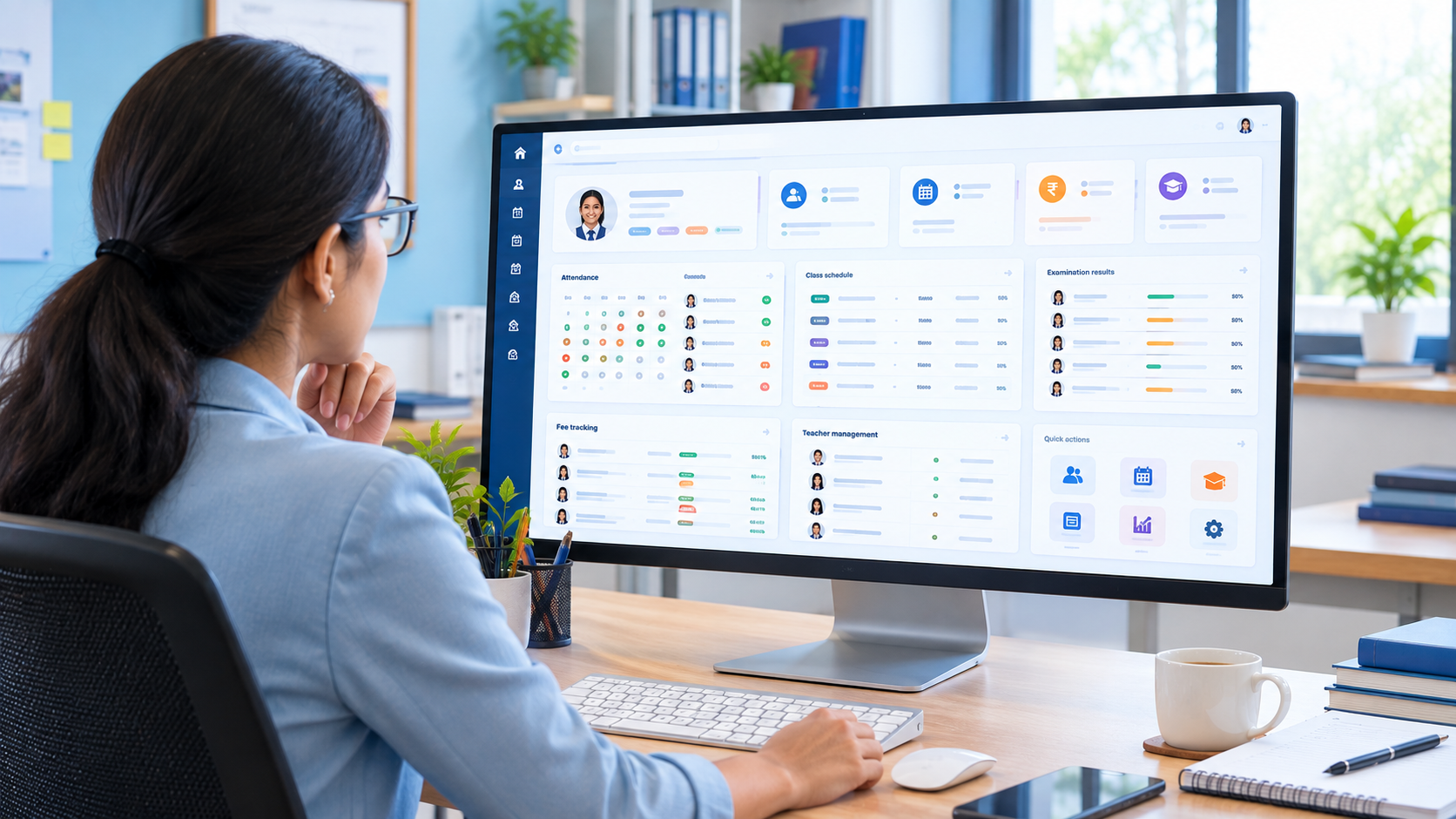
The best school management system is not necessarily the one with the most features. It is the one that solves the institution's actual operational problems.
Here are the most important features to consider.
1. Student Information Management
A centralized student information system helps schools maintain organized records for every student.
Information may include:
Student name
Admission number
Date of birth
Class and section
Guardian information
Contact details
Academic records
Attendance history
Fee information
Documents
Instead of searching through multiple files, authorized staff can access the information they need from one platform.
2. Admission Management
Admissions can involve multiple steps, including applications, document collection, verification, and enrollment.
School management software can help organize:
Online admission applications
Applicant records
Document uploads
Admission status
Student enrollment
Class allocation
Admission reports
This can make the admission process more organized and reduce paperwork.
3. Attendance Management
Attendance is one of the most frequently used school processes.
A digital attendance system can help teachers and administrators:
Record daily attendance
Track absences
Monitor attendance percentages
Generate attendance reports
Identify attendance patterns
Notify parents when supported
For schools with many classes, automated attendance reporting can save considerable administrative time.
4. Teacher & Staff Management
Schools need to manage more than student information.
A school management system can also help maintain records for:
Teachers
Administrative staff
Departments
Designations
Work schedules
Leave records
Assigned classes
Subjects
Role-based access ensures that staff members can access only the information relevant to their responsibilities.
5. Class & Subject Management
Managing classes, sections, and subjects becomes more complicated as a school grows.
Software can help administrators organize:
Academic sessions
Classes
Sections
Subjects
Class teachers
Subject teachers
Student assignments
This creates a more structured academic management process.
6. Examination & Grading Management
Examinations involve schedules, marks, grading, and report cards.
A school management system can help manage:
Exam schedules
Subjects
Marks entry
Grading rules
Report cards
Result publishing
Academic performance reports
Automating calculations and report generation can reduce errors and save time for teachers and administrators.
7. Fee Management
Fee collection is a critical administrative function.
A school management system can help schools manage:
Fee structures
Student invoices
Payment records
Discounts
Due dates
Outstanding balances
Payment receipts
Financial reports
Depending on the system, schools may also integrate online payment gateways.
This can make fee collection more organized and improve financial visibility.
8. Parent Communication
Effective communication between schools and parents is essential.
A digital platform can support:
Announcements
Notices
Attendance updates
Exam schedules
Results
Fee reminders
Event notifications
Messages
Centralized communication reduces the need to depend entirely on paper notices or scattered messaging channels.
9. Timetable Management
Creating school timetables manually can be time-consuming.
Software can help administrators organize:
Class schedules
Teacher availability
Subject periods
Room assignments
Academic sessions
A well-organized timetable can reduce scheduling conflicts and make daily operations smoother.
10. Reports & Analytics
School administrators need accurate information to make informed decisions.
A school management dashboard may provide reports on:
Student enrollment
Attendance
Academic performance
Fee collection
Outstanding payments
Teacher information
Class performance
These insights help school leadership monitor operations and identify areas that need attention.
Benefits of School Management Software

1. Reduces Administrative Work
Automating repetitive tasks allows staff to spend less time on paperwork and manual data entry.
This can improve productivity across the institution.
2. Improves Data Accuracy
Centralized records reduce the risk of duplicate information and inconsistent updates.
For example, when a student's contact details are updated in one system, authorized users can access the latest information without maintaining separate copies.
3. Saves Time
Tasks such as attendance reporting, fee tracking, and result preparation can become faster when workflows are digitized.
4. Improves Parent Communication
Parents can receive important information more efficiently through supported communication channels.
This helps schools maintain better engagement with families.
5. Provides Better Visibility
School administrators can access reports and dashboards to understand what is happening across the institution.
6. Supports Business Growth
As a school grows, managing more students, teachers, and classes becomes more complex.
A scalable school management system can help the institution handle increasing operational requirements without relying entirely on manual processes.
7. Improves Record Organization
Digital records are easier to search, update, and manage than large collections of paper files.
School Management Software for Different Types of Institutions
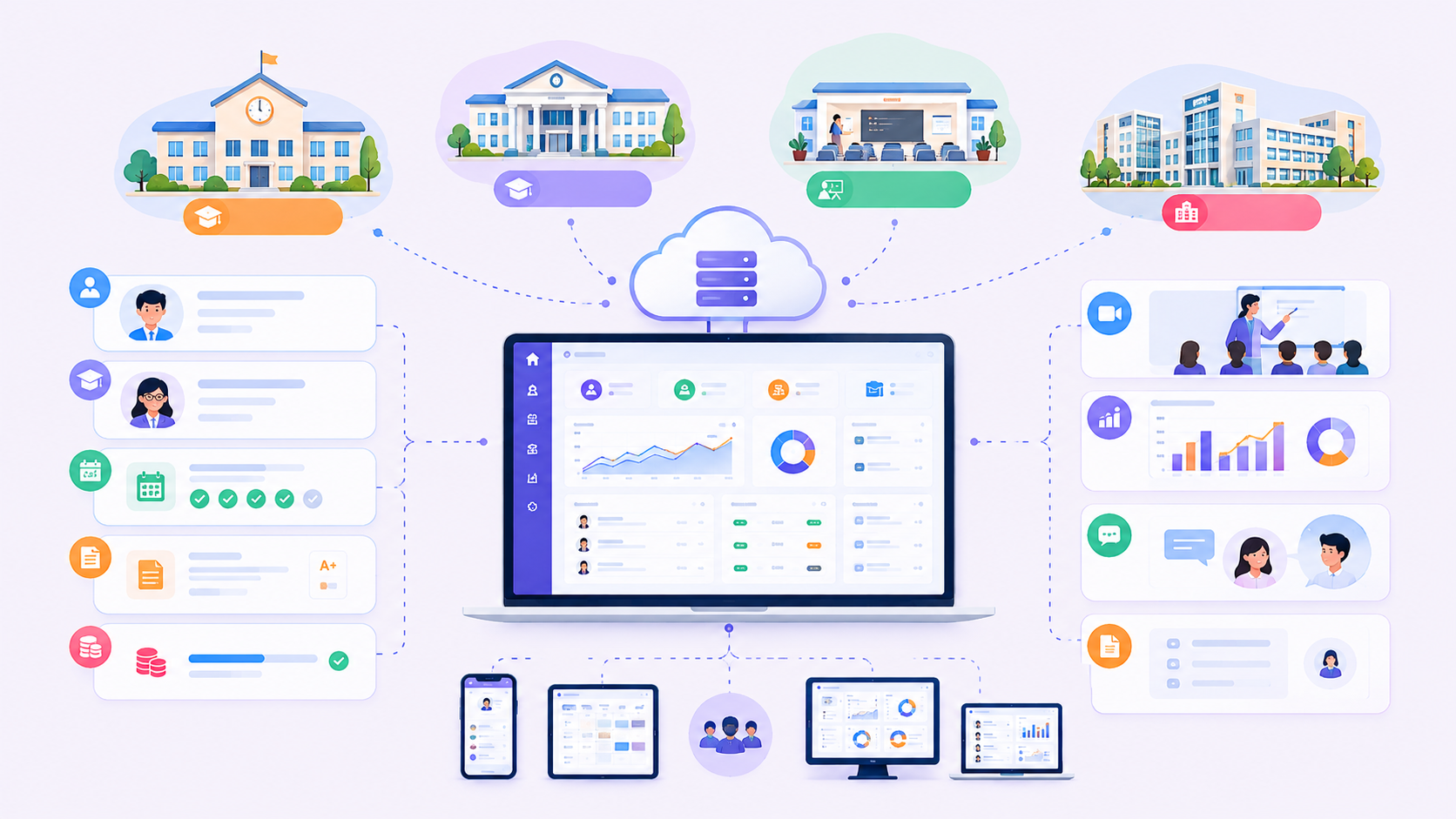
Different educational institutions may have different requirements.
Schools
Schools may need:
Student records
Attendance
Exams
Fees
Parent communication
Teacher management
Colleges
Colleges may require additional features such as:
Departments
Courses
Semester management
Credit systems
Faculty management
Coaching Centers
Coaching institutions may need:
Batch management
Student attendance
Fee collection
Exam results
Class schedules
Multiple-Campus Institutions
Organizations operating multiple campuses may benefit from:
Centralized reporting
Campus-level management
Shared student records
Role-based access
Multi-branch administration
The right solution should be selected based on the institution's actual workflow.
Cloud-Based vs On-Premise School Management Software
One important decision is whether to use a cloud-based or on-premise system.
Cloud-Based School Management Software
Cloud-based software is hosted on cloud infrastructure and can generally be accessed through supported devices with an internet connection.
Advantages
Access from different locations
Centralized data
Easier updates
Easier backups
Remote reporting
Suitable for multi-campus management
Considerations
Internet connectivity
Subscription or hosting costs
Data security
Vendor reliability
On-Premise School Management Software
On-premise software is installed and operated within the school's own infrastructure.
Advantages
Greater control over local infrastructure
Can operate within a local network
May suit institutions with specific infrastructure requirements
Considerations
Hardware and maintenance
Backup responsibilities
Software updates
Technical support
The best option depends on the school's budget, infrastructure, security requirements, and operational needs.
Custom School Management Software vs Ready-Made Software
Schools often need to decide whether to purchase an existing product or build a custom solution.
Ready-Made School Management Software
Ready-made software is designed for a broad range of institutions.
Advantages
Faster deployment
Existing features
Lower initial development effort
Established workflows
Limitations
Limited customization
May include unnecessary features
Integration restrictions
Vendor dependency
Custom School Management Software
Custom software is developed around the specific needs of an institution.
Advantages
Tailored workflows
Custom reports
Flexible integrations
Personalized user roles
Multi-campus support
Greater control over future development
Limitations
Higher initial investment
Longer development time
Ongoing maintenance requirements
For schools with unique processes or complex requirements, custom development can provide greater flexibility.
When Should a School Choose Custom Software?
Custom school management software may be a good option when:
Existing systems do not match your workflow.
You need custom academic or financial reports.
Your school operates multiple campuses.
You need integration with existing software.
You have unique fee structures.
You need custom parent communication features.
You want complete control over future improvements.
Your institution is planning significant growth.
For example, a school may need a system that connects admissions, attendance, fees, examinations, accounting, and parent communication in one platform.
A generic product may not support every requirement efficiently.
Security & Privacy Considerations
School management systems handle sensitive information about students, parents, and staff.
Security should therefore be considered from the beginning.
Important considerations include:
Secure authentication
Role-based access control
Encrypted communication
Regular backups
Activity logs
Secure data storage
Software updates
Access management
Schools should also establish clear policies for who can access, update, and export student information.
How Much Does School Management Software Cost?
The cost depends on several factors, including:
Number of students
Number of users
Number of campuses
Required features
Customization
Payment integrations
Reporting requirements
Hosting
Support and maintenance
A basic school management system may be suitable for a small institution, while a customized multi-campus platform can require a larger investment.
Instead of choosing software based only on price, schools should consider:
Does this system solve our current problems and support our future needs?
How to Choose the Right School Management Software
Before selecting a system, consider the following questions.
Does it support our school type?
A primary school may have different requirements from a college or coaching institution.
Can it manage student records?
Student information should be easy to access, update, and organize.
Does it support attendance and examinations?
These are essential academic functions for most schools.
Can it manage fees?
Check whether the system supports your fee structures, discounts, receipts, and reporting needs.
Can parents access important information?
Parent communication can improve the overall school experience.
Can it integrate with existing systems?
Integration can reduce duplicate data entry.
Is the software scalable?
Your system should be able to support future growth.
Is technical support available?
Reliable support is important when software is used for daily school operations.
Common Mistakes Schools Should Avoid
Choosing Software Based Only on Price
The cheapest option may not provide the features, support, or flexibility your institution needs.
Ignoring User Experience
If teachers and staff find the system difficult to use, adoption can become a challenge.
Overlooking Data Security
Student and financial information requires appropriate protection.
Trying to Automate Everything Immediately
Start with the most important workflows and expand gradually.
Failing to Train Staff
Even good software requires proper onboarding and training.
Not Planning for Growth
A system that works for 100 students may not be suitable for 2,000 students.
How Codex Devware Helps Schools Go Digital

At Codex Devware, we help educational institutions transform manual processes into organized digital workflows.
Our school management software solutions can include:
Student Information Management
Admission Management
Attendance Tracking
Teacher & Staff Management
Class & Subject Management
Examination & Grading
Fee Management
Parent Communication
Timetable Management
Reports & Analytics
Role-Based Access
Multi-Campus Management
Payment Integration
Custom Integrations
We focus on building software around the institution's actual requirements, helping schools improve efficiency, reduce administrative workload, and manage their operations with greater confidence.
Whether you need a school management system, a coaching management platform, or a custom education software solution, Codex Devware can help you plan and develop the right technology.
Frequently Asked Questions
What is School Management Software?
School Management Software is a digital platform that helps schools manage student records, attendance, fees, examinations, teachers, communication, and other administrative processes.
What are the main benefits of school management software?
The main benefits include reduced manual work, better data organization, improved communication, faster reporting, and more efficient school administration.
Can school management software manage fees and payments?
Yes. Many systems include fee structures, invoices, payment records, receipts, and financial reports. Some also support online payment integrations.
Can parents access school information?
Many modern systems provide parent portals or communication features that allow parents to access supported information such as attendance, notices, fees, and results.
Should a school choose ready-made or custom software?
Ready-made software can work well for standard requirements. Custom software is more suitable when a school needs unique workflows, integrations, reports, or multi-campus functionality.
Can school management software support multiple campuses?
Yes. Multi-campus systems can centralize information while allowing administrators to manage campus-specific operations.
Conclusion
Managing a school efficiently requires more than good teaching and administration. It requires organized information, reliable workflows, and tools that support the people responsible for daily operations.
School Management Software can help institutions reduce repetitive work, improve communication, organize student records, and make better decisions through centralized data.
The right solution should be easy to use, secure, scalable, and aligned with the school's actual needs.
If your school is still relying heavily on manual processes, now may be the right time to explore a digital management system.
Codex Devware can help you build a school management solution tailored to your institution's workflow, requirements, and growth plans.